
How discounts work on AppSell offers
Add a discount to an upsell, a bundle or a volume tier — AppSell creates the code and applies it for the shopper.
A discount makes an offer easier to say yes to. In AppSell you set the discount on the offer itself — there's no separate coupon to create in your store, and the code is applied for the shopper.
How it works
You set a discount while building the funnel.
When you save, AppSell creates a matching discount code in your store, starting with your prefix — for example APPSELL-K3F9QX.
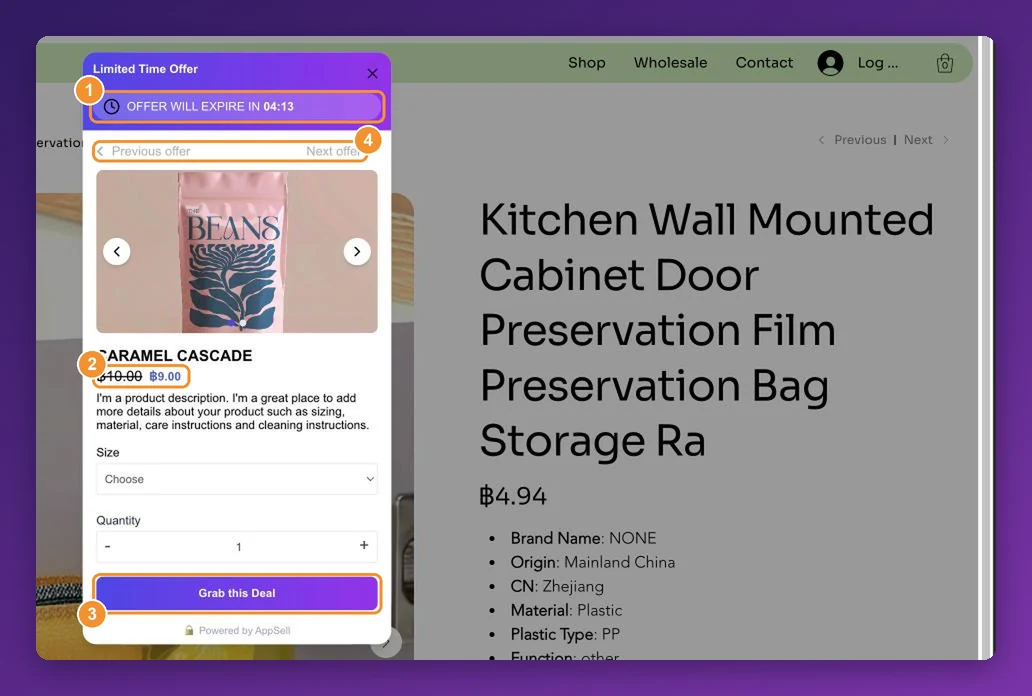
Shoppers see the original price crossed out next to the discounted one.
When they accept the offer, the code is applied to their cart for them.
The codes appear among your store's discounts. Leave them in place — removing one stops that offer's discount from working.
Discounts on product upsells
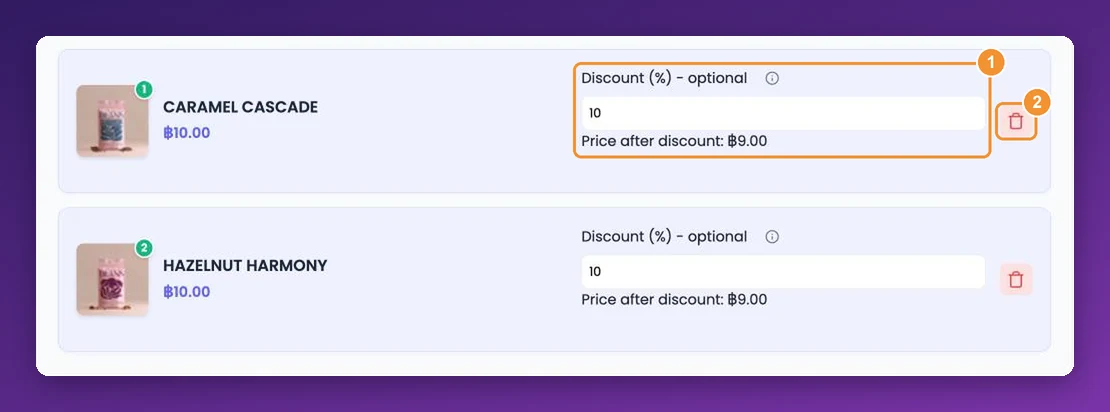
In the Select Products step, each product you add has a Discount (%) - optional field. Enter a percentage and the Price after discount appears underneath, so you can check the offer price before you continue. Each product can have its own discount; leave it at 0 for none.
Bundles, side cart and volume tiers
Frequently bought together — one discount for the whole bundle, as a percentage or a fixed amount, optionally for partial bundles too. See how to set up a frequently bought together bundle.
Cart and side cart offers on Wix — a single percentage Bundle Discount applies to every product the shopper adds from the offer, because Wix allows one coupon per cart. Each shopper gets a one-time code, shown in the side cart with a Copy button. See cart and side cart offers.
Volume bundles — a discount per quantity tier, applied as a Wix automatic discount with no code at all. See how to set up a volume bundle discount.
Discount code prefix
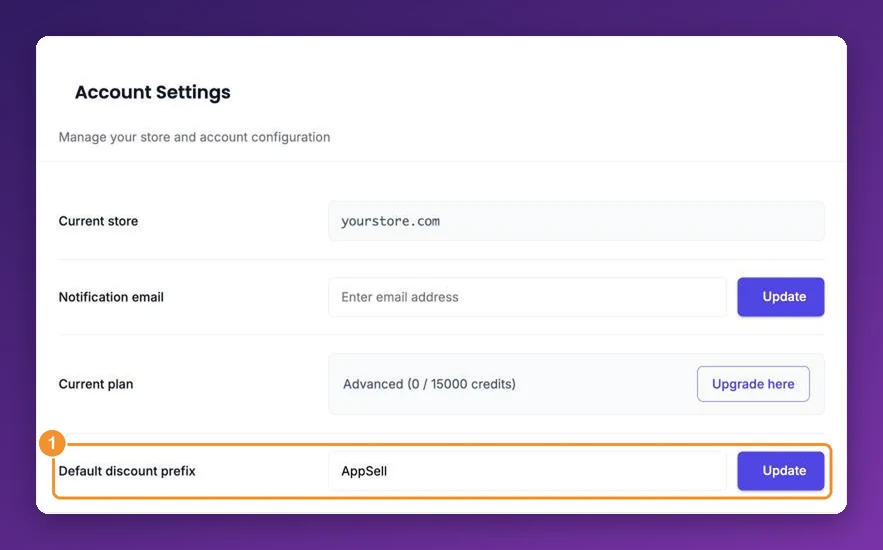
Every code AppSell creates starts with a prefix, so you can recognise AppSell codes in your store's reports. Set your default in Settings under Default discount prefix, and click Update.
A single funnel can use its own prefix: in the funnel editor, open Features & Display and change Discount coupon prefix. Prefixes can't contain spaces. More detail is in how to update your discount code prefix.
Frequently asked questions
Can a shopper combine an AppSell discount with another coupon?
That depends on your store platform's coupon rules. Wix, for example, allows one coupon per order, so a shopper who applies a different coupon replaces the AppSell one.
Can I offer free shipping instead of a price discount?
Not on these offers — discounts are a percentage or a fixed amount off the products.
A shopper didn't get the discount. What should I check?
Work through discount not applied at checkout.
Will the discount show on the offer before the shopper accepts?
Yes — the original price is crossed out next to the discounted price, so the saving is clear up front.
Still stuck?
Tell support what you were doing and what happened instead — a store URL and a screenshot of the funnel settings usually resolves it in one reply.
Contact support