
How to target a funnel: triggers, devices and how often it shows
Show a funnel only to the right shoppers — by product, cart value, quantity, device, and how many times it appears.
Targeting decides who sees a funnel and when. Every funnel has two targeting settings in the Triggers & Targeting part of the wizard — devices and frequency — plus one more that depends on the page: product page funnels choose which product pages they show on, and cart, checkout and thank-you funnels can use triggers.
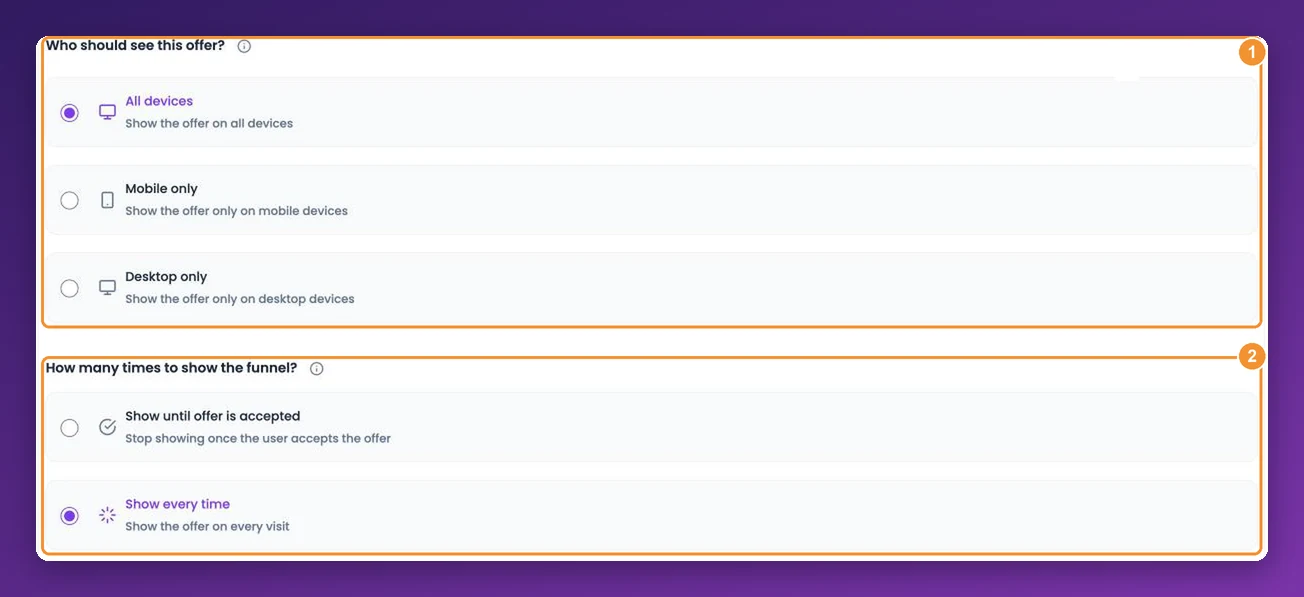
Who should see this offer?
Choose All devices (the default), Mobile only or Desktop only. Splitting by device is useful when an offer works well on a large screen but crowds a phone — create one funnel per device with a layout that suits each.
How many times to show the funnel
Show every time (the default) — the offer appears on every visit.
Show until offer is accepted — the offer stops appearing for a shopper once they accept it. This is remembered in the shopper's browser, so it resets if they clear their browser data or switch devices. On cart and side cart offers, it shows the offer once per browser.
Product page funnels: where to display
A product page funnel is targeted by product page rather than by triggers. Under Where to display, choose All product pages or Selected product pages and pick the products whose pages should show the offer.
Cart, checkout and thank-you funnels: triggers
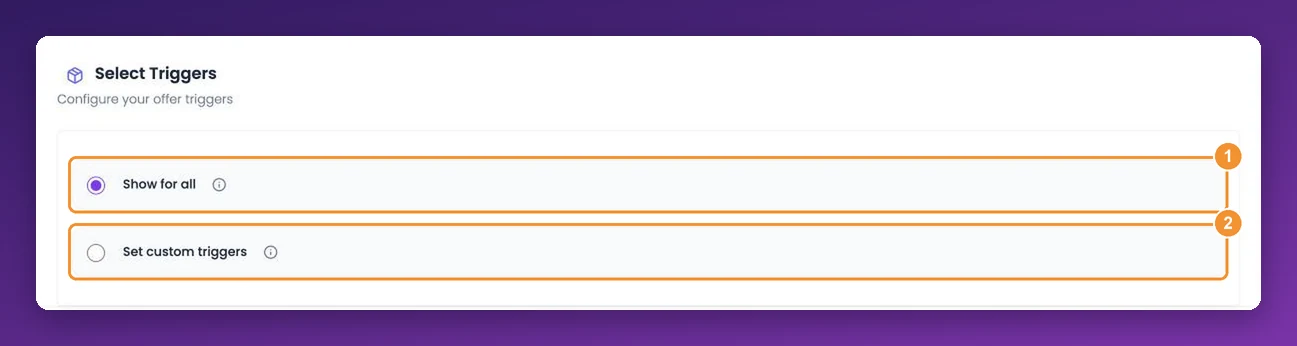
Under Select Triggers, Show for all shows the funnel to every shopper who reaches the page. Choose Set custom triggers to show it only when the cart or order meets your conditions.
There are four triggers. Tick the ones you need:
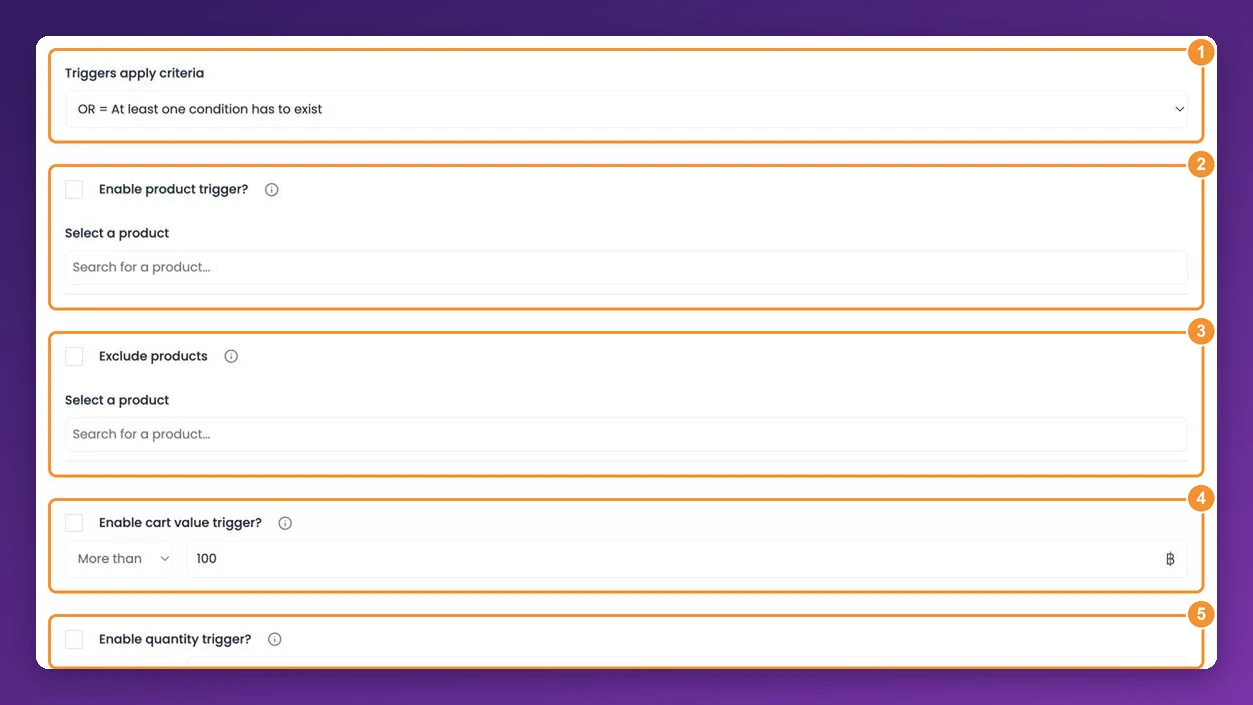
Enable product trigger? — show the funnel when the cart or order contains any of the products you pick.
Exclude products — never show the funnel if any of these products is in the cart or order. Exclusions currently apply on Wix and WooCommerce stores.
Enable cart value trigger? — More than or Less than an amount in your store's currency, compared with the total shown on the page.
Enable quantity trigger? — More than or Less than a number of items, counting every unit in the cart or order.
When you use more than one, Triggers apply criteria decides how they combine: OR = At least one condition has to exist, or AND = All conditions have to exist.
"More than" means strictly more. A cart value trigger of More than 100 does not fire at exactly 100 — set 99.99 if you mean "100 or more".
Funnels with triggers are labelled Trigger in your funnel list; funnels without are labelled Default. Custom triggers are available on the Basic plan and above.
Examples
Free-shipping nudge: a cart funnel with cart value Less than your free-shipping threshold, offering small add-ons to close the gap.
Accessory for a hero product: a cart funnel with a product trigger on the camera, offering its lens.
Big-basket reward: a thank-you funnel with quantity More than 3 AND cart value More than 200.
Frequently asked questions
Can I target by collection, customer tag or country?
Not at the moment. Triggers work on products, cart value and quantity.
I added triggers and now the funnel never shows.
Check the AND/OR setting — with AND, every condition must be true at once. Then check that "More than" values aren't exactly the cart total. The troubleshooting guide covers the other common causes.
Two funnels match the same cart. Which one shows?
Still stuck?
Tell support what you were doing and what happened instead — a store URL and a screenshot of the funnel settings usually resolves it in one reply.
Contact support