
Popup or section: how to choose how an offer appears
Show an offer as a popup or as part of the page, decide when a popup opens, and where a section sits.
Every product upsell funnel is shown in one of two ways: as a popup that opens over the page, or as a section that sits inside the page like any other content. You choose in the Display Type step of the funnel wizard, and you can change it later by clicking Customize on the funnel.
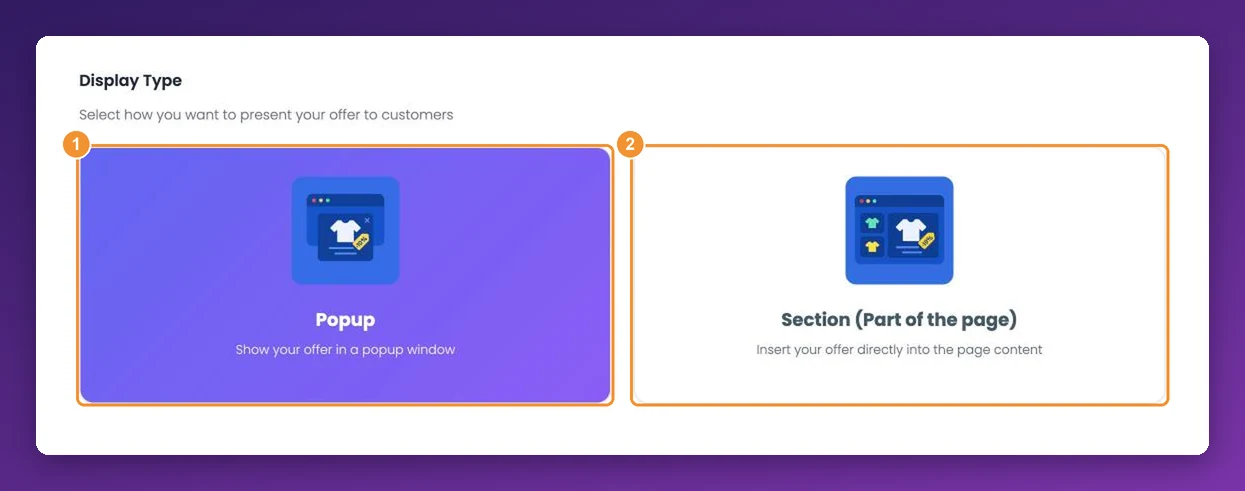
Popup or section?
| Popup | Section | |
|---|---|---|
| Best for | One strong offer you want every shopper to notice | Quiet, always-visible recommendations |
| Shopper sees it | On top of the page, at the moment you choose | Inside the page, above or below the main content |
| Interrupts browsing | Yes — the shopper accepts or closes it | No |
A good rule of thumb: use a popup for a single, well-timed offer — such as an upgrade when someone clicks Add to Cart — and a section for recommendations a shopper can take or leave.
Some funnels decide for you. Frequently bought together and volume bundles always show as a section, and cart and side cart funnels use their own compact layout, so they skip this step.
When a popup opens
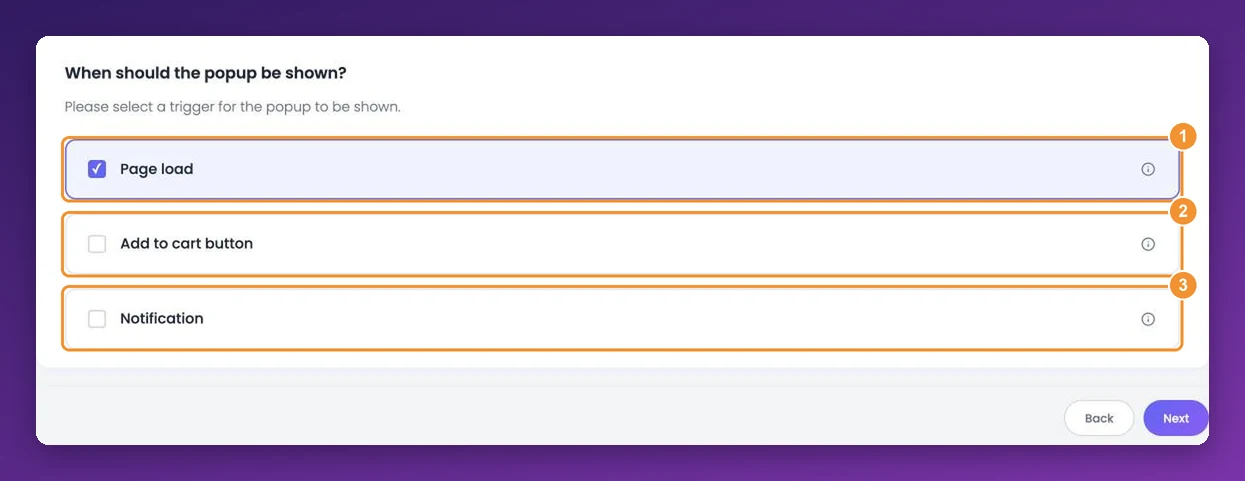
Under When should the popup be shown?, choose one trigger. The options depend on the page the funnel is for:
Page load — the popup opens as soon as the page has loaded. Available on every page type.
Add to cart button — product pages only. The popup opens when the shopper clicks your store's Add to Cart button. If they don't want the offer, Skip and Continue to Cart adds their original product as normal.
Notification — a small notice slides in at the bottom of the screen. The full offer opens only when the shopper clicks See offer, which makes it the least intrusive popup.
Where a section sits
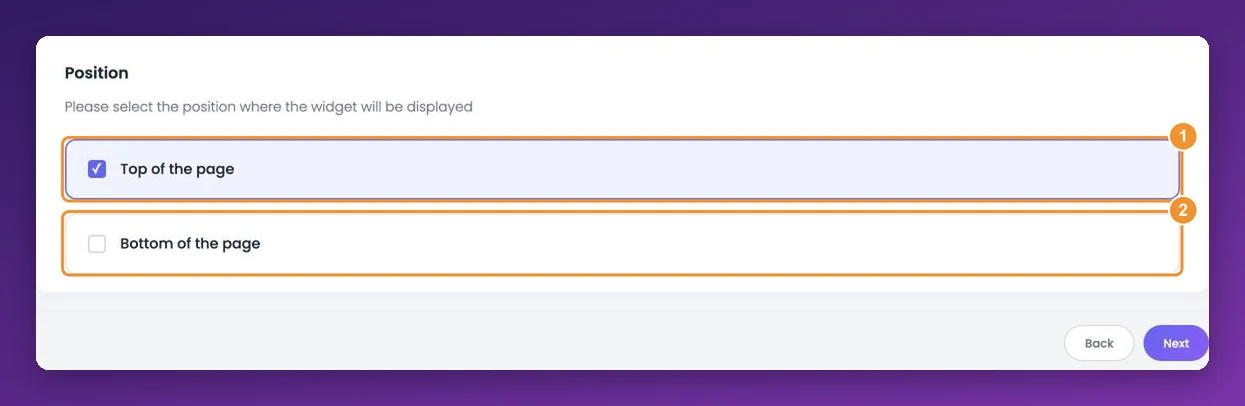
Under Position, choose Top of the page or Bottom of the page. The section is placed above or below the main content of the page; the exact spot depends on your store's layout, so check it on your live store after launching.
On Wix, sections land in the most reliable spot when the AppSell block is active on your site — see how to activate the AppSell block.
Changing the size
In the funnel editor, open Features & Display. Sections have Desktop section size and Mobile section size sliders; popups have Desktop popup size and Mobile popup size. The step-by-step is in how to change widget size on desktop and mobile.
Frequently asked questions
Can a popup open after a delay, or when a shopper is about to leave?
Not at the moment. Popups open on page load, on the Add to Cart click, or from the notification.
Can I show a popup only on mobile?
Yes. Set Who should see this offer? to Mobile only in the funnel's targeting — see how to target a funnel.
My section doesn't appear where I expected.
Try the other position, and on Wix make sure the AppSell block is active. If it still doesn't show, follow the troubleshooting guide.
Still stuck?
Tell support what you were doing and what happened instead — a store URL and a screenshot of the funnel settings usually resolves it in one reply.
Contact support