
AppSell plans, billing and visitor credits on Wix
The plans, the free trial, how monthly visitors are counted, what happens at your limit, and how to change or cancel — all billed through Wix.
AppSell on Wix is billed by Wix, as a monthly or annual plan. Every plan includes every feature; plans differ only in how many monthly unique visitors they cover.
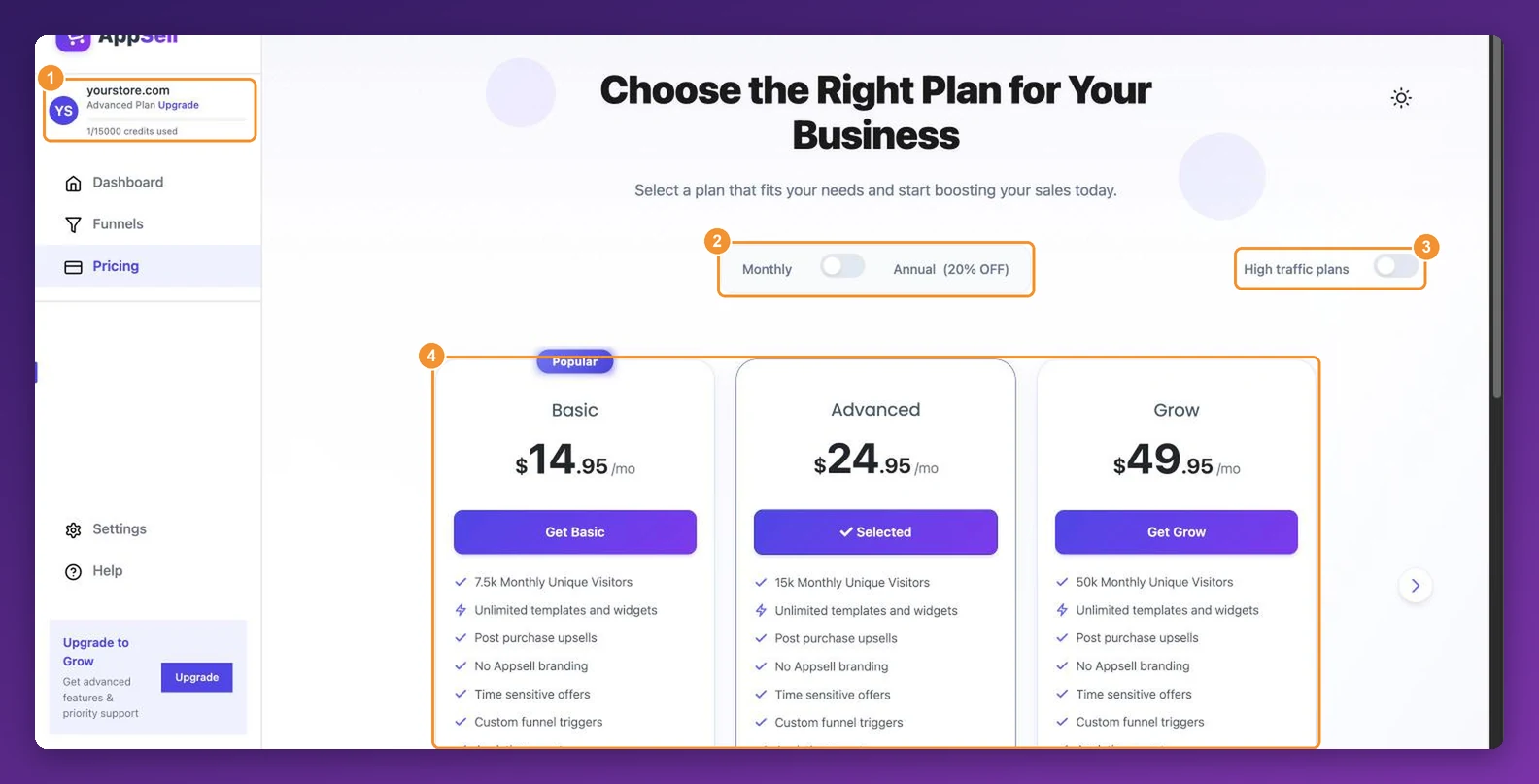
The plans
| Plan | Monthly price | Monthly unique visitors |
|---|---|---|
| Basic | $14.95 | 7,500 |
| Advanced | $24.95 | 15,000 |
| Grow | $49.95 | 50,000 |
| Tiger | $79.95 | 150,000 |
| Lion | $149.95 | 300,000 |
| Monster | $299.95 | For the highest-traffic stores |
Every paid plan includes unlimited funnels and widgets, post-purchase offers, countdown timers, custom triggers, analytics, no AppSell branding, and support. Choose Annual on the Pricing page to save 20%. To see Tiger, Lion and Monster, use the arrow on the plan list or switch on High traffic plans.
The free trial
New stores can start with a 3-day free trial covering up to 2,000 visitors. When it ends, choose a plan to keep your offers running — the dashboard asks you to upgrade before you can continue, and everything you built is still there.
How visitor credits work
One credit = one unique visitor to your store, whether or not they see an offer.
Each visitor counts at most once every 30 days, however many pages they view or times they return. A visitor using a different browser or device, or who clears their browser data, counts again.
Periods run for about a month, starting from the day of the month your plan began. Changing plan resets your count to zero, and later periods run from the day you changed.
Google's and Apple's search crawlers don't count.
Your usage is always at the top of the dashboard sidebar, for example 1240/15000 credits used.
What happens at your limit
When a period's credits are used up, your offers pause: shoppers see your store as normal, without AppSell offers, until the next period starts. Upgrading lifts the limit straight away. Volume bundle discounts keep applying, because they are Wix automatic discounts rather than offers.
Change, upgrade or cancel
Upgrade or downgrade: open Pricing in the AppSell dashboard and click Get on the plan you want. You're taken to Wix's checkout to confirm; the new plan applies as soon as Wix confirms payment.
Invoices and payment details are in your Wix account, alongside your other Wix subscriptions.
Cancel your AppSell subscription in your Wix account's subscriptions. Cancelling switches AppSell's offers off on your store. Your funnels are kept if you come back later.
Frequently asked questions
My offers stopped showing. Have I reached my limit?
Check the counter at the top of the dashboard sidebar. If it shows your plan's full amount — for example 7500/7500 credits used — your offers are paused on every page, the cart page and side cart included, until the next period starts. To bring them back straight away, upgrade on the Pricing page. If you still have credits left, see what to check when a cart offer doesn't show or the troubleshooting guide.
Is there a free plan on Wix?
No — there's a 3-day free trial, then a paid plan.
Do I pay more if I go over my limit?
No. You're never charged above your plan price; offers simply pause until the next period or until you upgrade.
Am I billed if no funnels are switched on?
Yes. Billing follows your Wix subscription, not your funnels. To stop paying, cancel the subscription in Wix.
How do I uninstall AppSell?
Still stuck?
Tell support what you were doing and what happened instead — a store URL and a screenshot of the funnel settings usually resolves it in one reply.
Contact support