
What happens when a customer accepts an offer
Cross-sell or upsell, cart or checkout: how to control what an accepted offer does, and what shoppers see.
When a shopper clicks the button on a product upsell offer, the product goes into their cart.
Two settings in the Offer Settings part of the wizard decide what happens around that: the offer type and the accept offer redirect.

Cross-sell or upsell
Cross-Sell (the default) adds the offered product alongside what's already in the cart. Use it for accessories and complementary items: a case with a phone, a lens with a camera.
Upsell replaces a product in the cart with the offered one. Use it to trade a shopper up: the 64 GB model for the 128 GB, a single for a 3-pack.
When you choose Upsell, a Product Upselling field appears: search for and pick the product that the offer should replace.

Where the shopper goes next
Under Accept offer redirect, choose Cart (the default) or Checkout.
Cart lets the shopper see their updated order before paying. It's the safe choice and works on every platform.
Checkout skips the cart for a faster finish — good for single, last-step offers. On Shopify stores, use Cart.
The buttons shoppers see
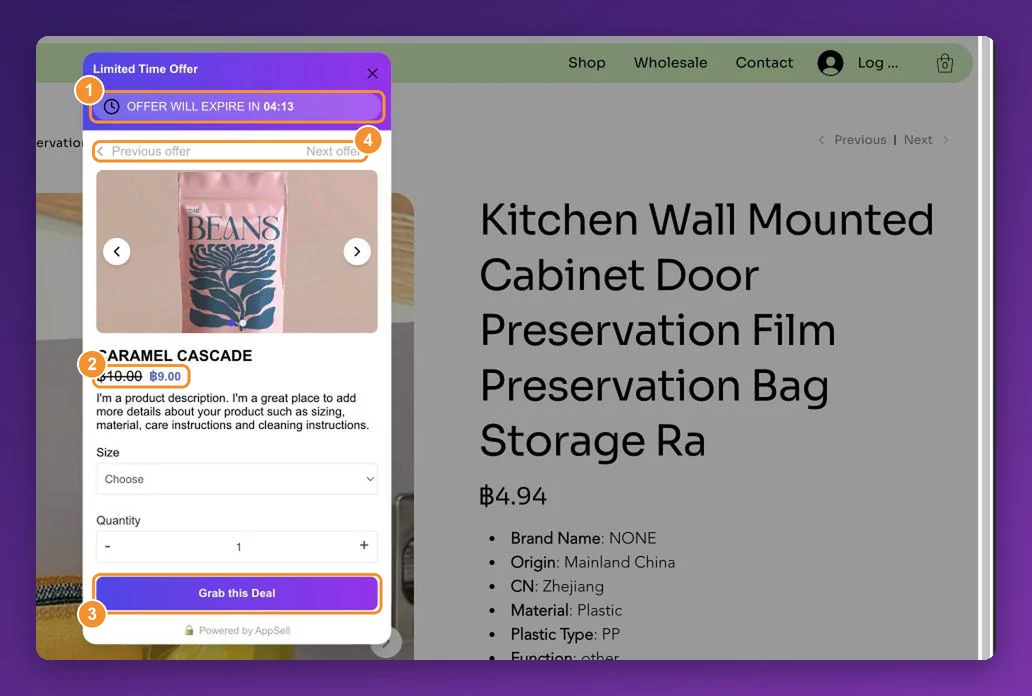
The accept button reads Grab this Deal by default. In the last step of the wizard, hover over it in the preview and type your own wording — the same works for every text in the preview.
Skip buttons. A popup that opens when the shopper clicks Add to Cart shows Skip and Continue to Cart, which carries on with their original product as normal.
Several products in one offer. When a funnel offers more than one product, shoppers move between them with Next offer and Previous offer.
Discounts on accepted offers
If you set a discount on the offered product, AppSell creates the discount code for you and applies it to the cart when the shopper accepts — they never have to type anything. See how discounts work on AppSell offers.
Offers on the thank-you page
The thank-you page appears after the order is placed. On Wix and WooCommerce, an accepted thank-you offer starts a new order: the shopper adds the product and checks out again. Keep thank-you offers simple and clearly worth a second checkout, such as a discounted refill or accessory.
Still stuck?
Tell support what you were doing and what happened instead — a store URL and a screenshot of the funnel settings usually resolves it in one reply.
Contact support