
How to Complete the app Installation on Your Wix Site
After installing the Appsell app on your Wix site, follow these quick steps to complete the setup: Step 1: Open
After installing the Appsell app on your Wix site, follow these quick steps to complete the setup:
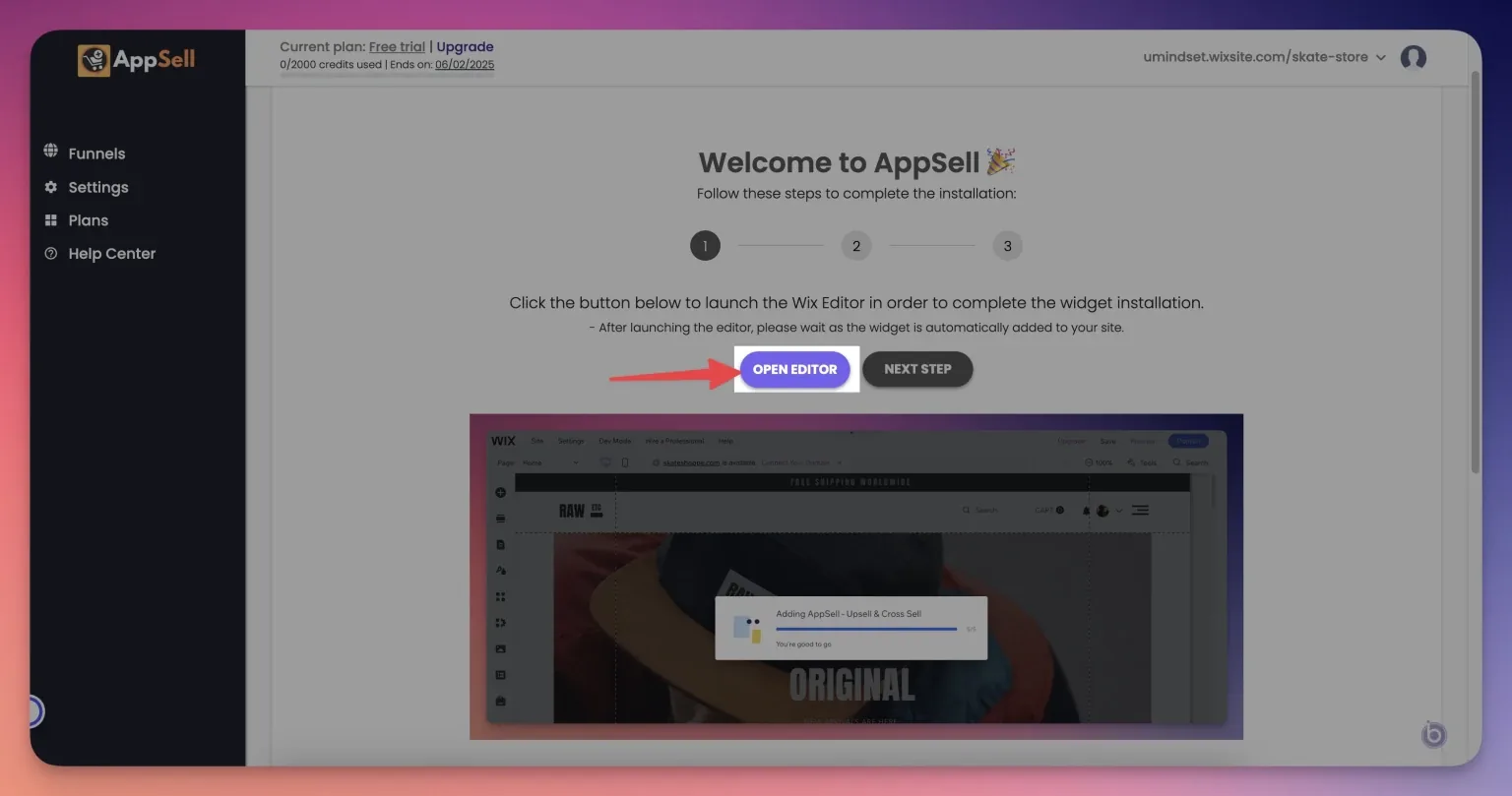
Step 1: Open the Wix Editor
Click the "Open Editor" button in the Appsell dashboard. This will launch the Wix Editor and automatically install the required widgets on your site.
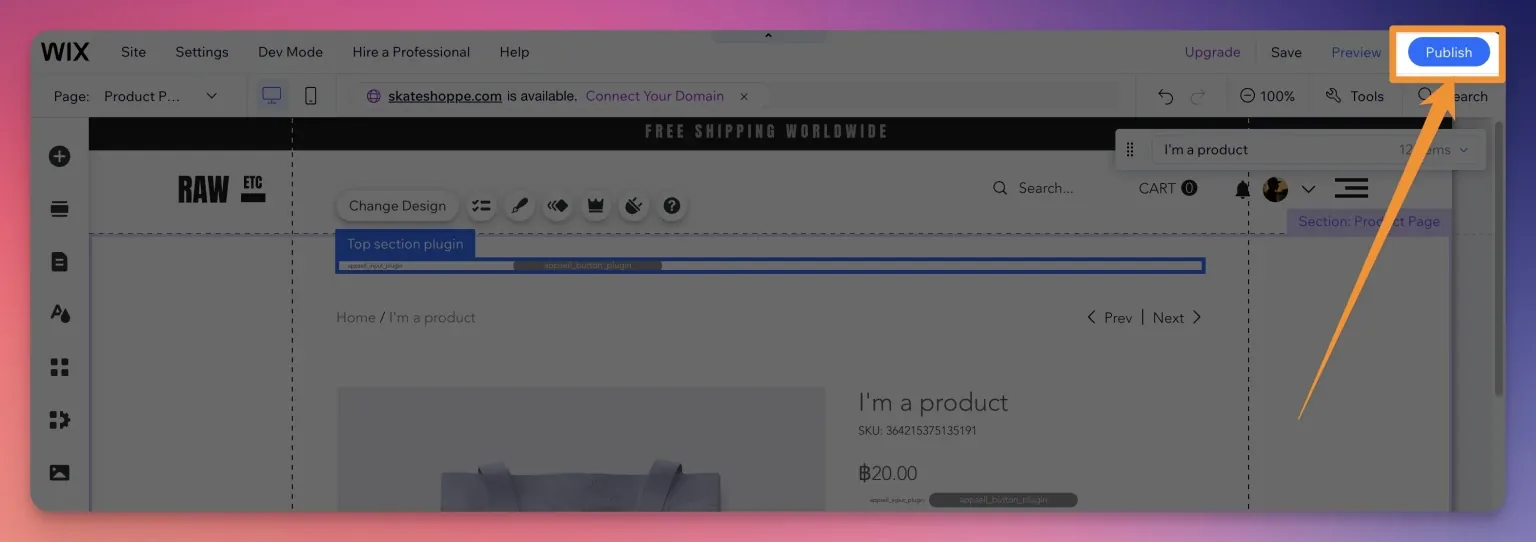
Step 2: Publish Your Changes
Once the editor loads, wait till the widget adding process is done and click the "Publish" button to save the changes and make the widgets live on your site.
Important: This process should be completed immediately after installing the app to ensure everything works correctly.
That’s it! Appsell is now fully installed and ready to use. If you have any questions, please contact us here:
Still stuck?
Tell support what you were doing and what happened instead — a store URL and a screenshot of the funnel settings usually resolves it in one reply.
Contact support