
How to upgrade or change your AppSell plan
Upgrade, downgrade or move to yearly billing on Wix in a few clicks, and what happens to your offers and visitor count when you change plan.
You can change your AppSell plan at any time from the dashboard. Every plan has every feature — plans differ only in how many shoppers they cover each month.
Change your plan
In the AppSell dashboard, click Plans in the sidebar — or Manage plan on the plan card.
Choose Monthly or Annual billing. Annual saves 20%.
For more than 50,000 shoppers a month, switch on High traffic plans or use the arrow beside the plans.
Click Get on the plan you want, and confirm in Wix's checkout.
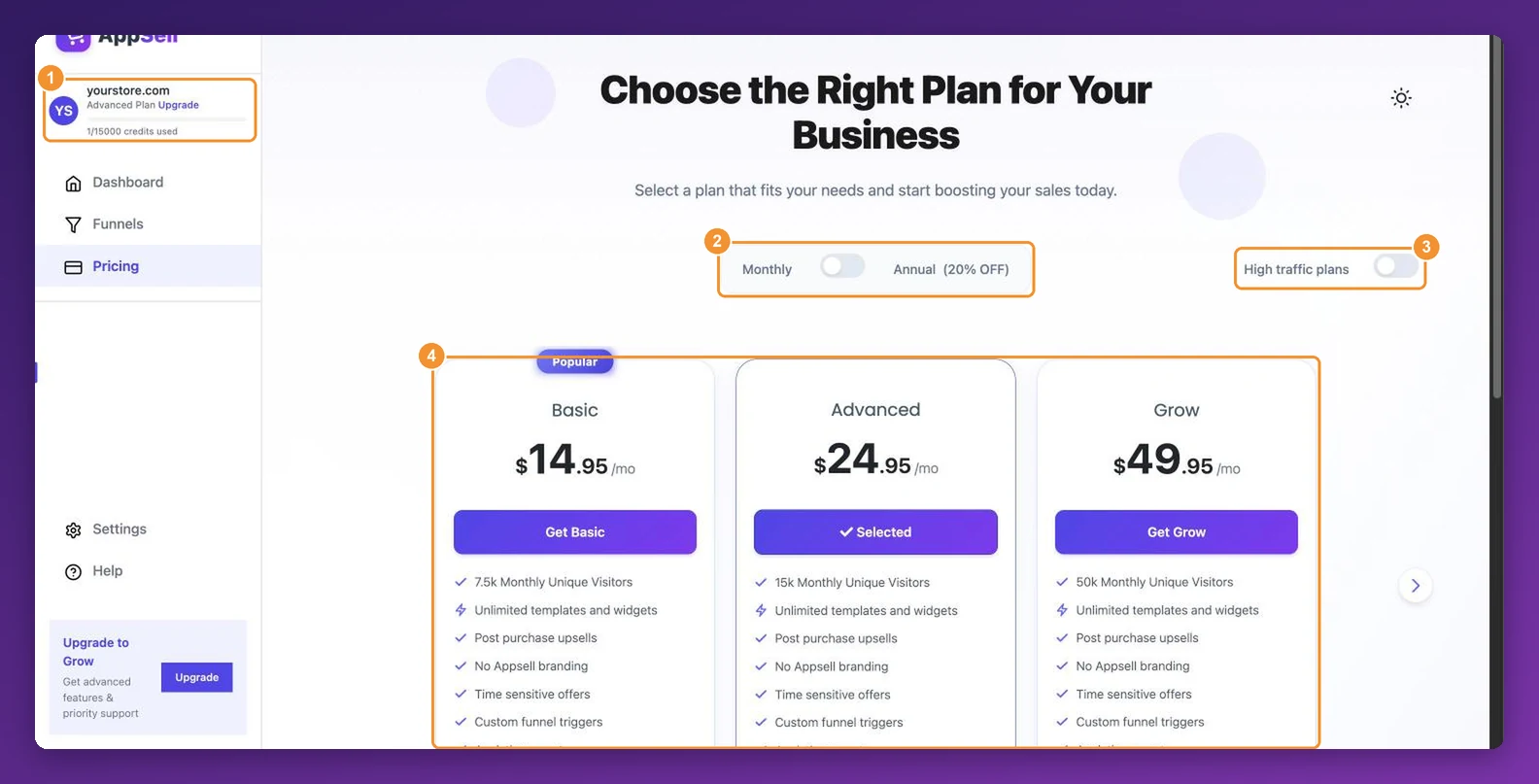
Downgrading works the same way — choose a smaller plan. Check your usage first so the new limit covers your traffic.
What happens when you change plan
The new plan starts as soon as Wix confirms payment.
Your visitor count goes back to zero, and your new monthly period starts that day.
If your offers had paused at your limit, they come back straight away.
Invoices and payment details are in your Wix account.
When your free trial ends
New stores get a 3-day free trial. When it ends, your offers stop showing until you choose a plan. Your funnels are kept, so they're back as soon as you subscribe.
Shopify and WooCommerce
See plans and billing on Shopify or trial and billing on WooCommerce. For everything about Wix plans, visitor credits and cancelling, see plans and billing on Wix.
Still stuck?
Tell support what you were doing and what happened instead — a store URL and a screenshot of the funnel settings usually resolves it in one reply.
Contact support