
How to login to your Wix AppSell account?
Follow this guide in order to login to your Wix Appsell account. Note : If you haven't installed the AppSell app yet on your Wix store, please follow this…
Note: If you haven't installed the AppSell app yet on your Wix store, please follow this guide.
.callout-yellow { border: 1px solid #ebe9c6; border-radius: 4px; background-color: #fffeee; color: #6e7681; font-size: 15px; letter-spacing: 0; line-height: 26px; padding-left: 50px; background-repeat: no-repeat; background-position: 2.4% 20px; }Login to your Wix dashboard.
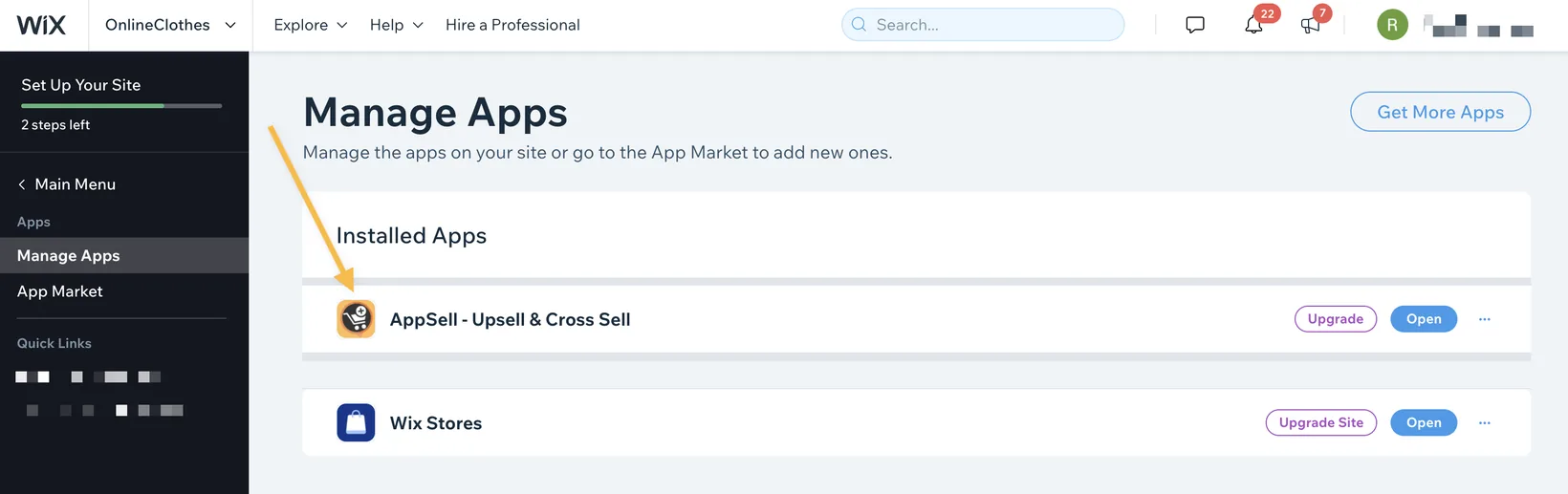
Select Manage Apps from the menu.
Click on the AppSell app.
Need any help? Contact us here
Still stuck?
Tell support what you were doing and what happened instead — a store URL and a screenshot of the funnel settings usually resolves it in one reply.
Contact support